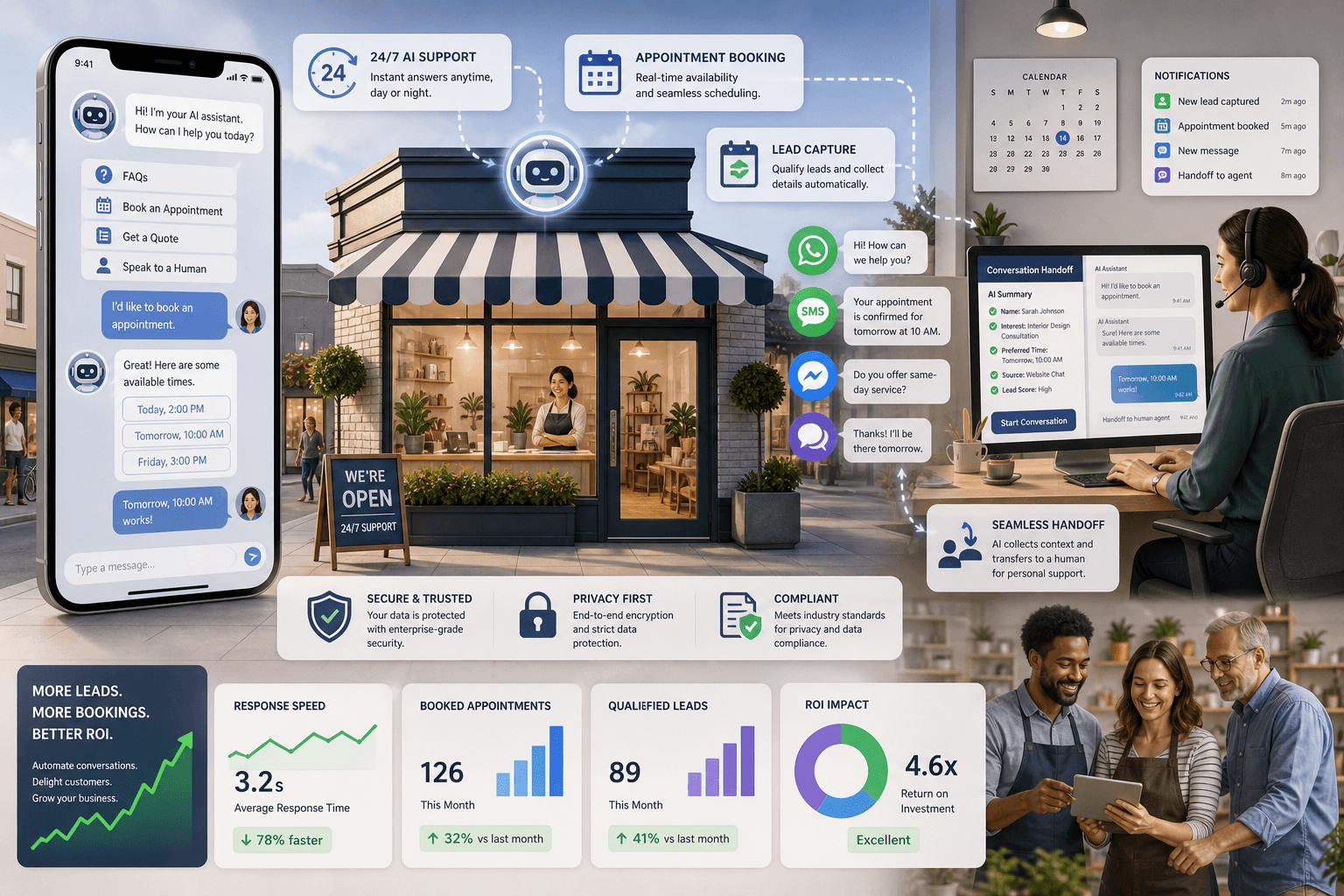
The post reviews AI chatbot platforms for local businesses that need faster customer support, scheduling, and lead capture. It outlines the features to prioritize, including FAQ handling, booking workflows, multi-channel messaging, human handoff, and compliance.
It also compares tools such as Tidio, HubSpot, Zendesk, Freshchat, LiveChat, Birdeye, Podium, Manychat, Landbot, and Crisp, then offers guidance on choosing, launching, and measuring a chatbot for better ROI.

The Best AI Chatbot Tools for Local Businesses (We Tested Them All)
Local businesses are constantly bombarded with customer inquiries and booking requests. To stay competitive, you must offer near-instant answers, streamline appointment scheduling, and capture leads around the clock.
The best AI chatbots can handle these tasks. You won’t need to worry about hiring more staff or compromising your brand’s unique personality. Here, we’ll cover the top AI chatbot platforms for local businesses, discuss their most important features, and offer advice on how to get them implemented ASAP to start generating results.
Key Features of the Best AI Chatbots for Local Businesses
Before deciding on a tool, you should be very clear on the results that you want. Generally speaking, small businesses in almost any industry, including medical offices, dental clinics, spas, auto shops, real estate agencies, and restaurants, usually prioritize the following capabilities:
1) Instant answers to frequently asked questions: This covers basic inquiries regarding working hours, pricing, service areas, maps/directions, and business policies. Ideally, your chatbot should be able to respond to 80% of these inquiries without any human intervention and only escalate the others.
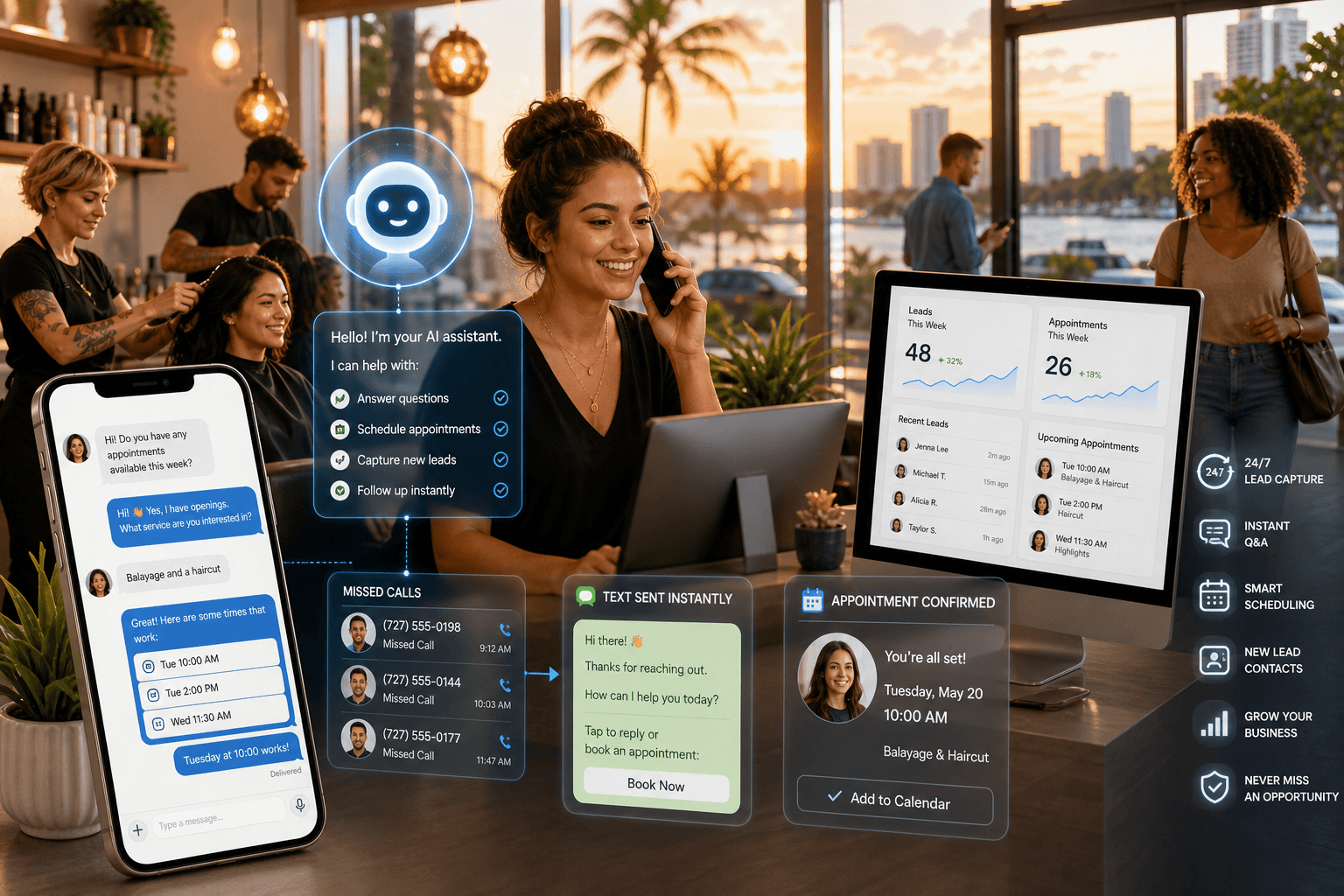
2) Scheduling/Booking workflows: You should be able to create frictionless scheduling processes, send automated confirmations, and send reminders via text messages, WhatsApp, or email.
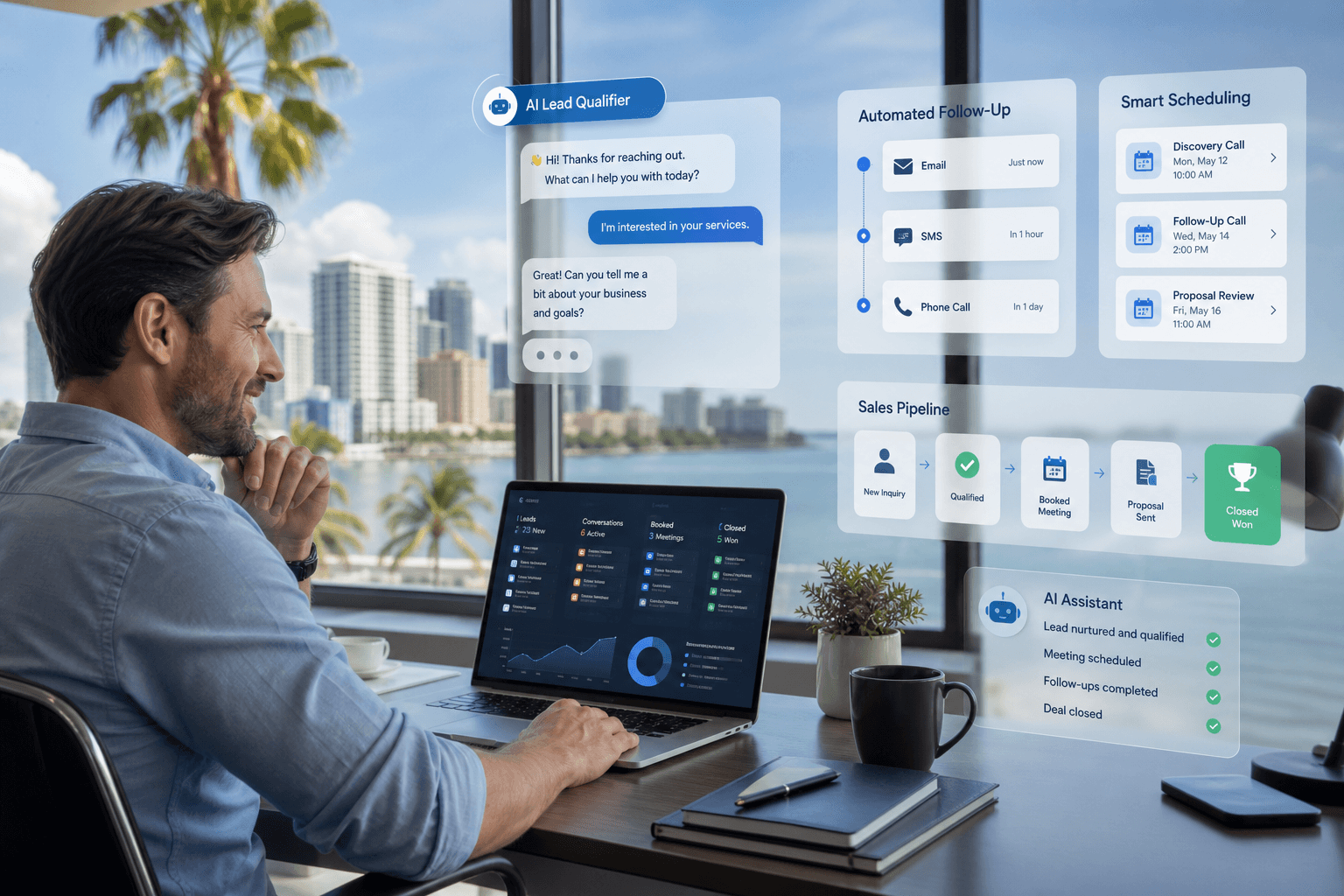
3) Lead generation and scoring: AI bots should be used to collect contact information and budget details to determine which leads are worth pursuing, then send them to the appropriate team member automatically.
4) Multi-platform integration: AI tools should be able to send and receive messages across multiple communication channels, such as your company’s website, Facebook Messenger, Instagram Direct, WhatsApp, Google Business Profile Messages, and text message.
5) Smooth and quick transfer to a human agent: When a bot can no longer assist the customer, it should be able to pass the baton over to a human agent with all the context intact.
6) Compliance & security: Customer data must be secure, you should only message people via email or SMS if they’ve opted in, and you should keep clear records of every action.
The Best AI Chatbot Services for Local Business in 2026
Tidio: Tidio is perfect if you run a smaller business and want a fast, reasonably-priced live chat solution. It offers great answers to FAQs and is a great starting point for lead generation and automation. Tidio integrates with Shopify, WordPress, and most other major CRMs.
HubSpot Chatbot: HubSpot is a great tool to choose if you’re already running the platform for your business. You can build chatbots and flows for lead generation, sales meeting booking, and support tickets, and track your results and ROI within the HubSpot platform.
Zendesk Answer Bot: Zendesk Answer Bot is excellent for high-volume customer support teams and leverages existing help desk content to provide instant answers to your customers, while also passing them over to support staff when necessary.
Freshchat (Freshworks): FreshChat by Freshworks is an excellent chatbot and messaging platform for businesses of all sizes. The AI assistant can be used to offer answers and suggested replies to your customers via live chat, WhatsApp, and Facebook Messenger. The platform integrates seamlessly with Freshdesk so you can create tickets on the fly.
LiveChat and ChatBot.com: LiveChat and ChatBot are the perfect combination for businesses that need to offer live chat alongside their chatbot solutions. You’ll be able to set up complex scheduling flows, quote estimators, and trigger proactive messages to help reduce your bounce rate.
Birdeye: Birdeye is an excellent tool for local businesses because it manages your reviews, listings, and AI chat solutions all in one place. Birdeye also provides an AI solution that manages your live chat and text message solutions.
Podium: Podium is another excellent AI platform for small businesses with strong SMS messaging capabilities. Podium’s AI assistant can help you accept texted payments, generate review requests, and answer sales questions, all within one inbox. If you want a platform that lets you text to communicate with your customers, this is a good choice.
Manychat: Manychat is the preferred platform for businesses that rely heavily on their social accounts. You’ll be able to automate your DMs for Facebook, Instagram, and even WhatsApp. It can also help you run competitions and generate leads via your social channels.
Landbot: Landbot is great if you need a visual, drag-and-drop chatbot builder that you can customize to look exactly like a survey form. It’s an ideal tool if you want to create a multi-step questionnaire or intake survey on your website with conditional logic but without complex coding.
Crisp: Crisp is a great option for businesses that are just starting their first chatbot. Crisp is an all-in-one messaging platform with an integrated AI chatbot, knowledgebase, and shared inbox to help your team stay in the loop. It’s a great platform for startups and small businesses.
Choosing a Platform the Right Way (and What to Skip)
Begin with the conversation channels, not the technical capabilities. Make a list of the ways your clients are already reaching out: is it via your website, Google Business Messages, Instagram, WhatsApp, SMS, or Facebook? Select a solution that supports your top two current avenues and has the capacity to add more later.
Outline 3–5 key scenarios. Try phrases like, “Book an appointment,” “Request a price quote,” “Confirm if you serve my zip code,” “Change my meeting time,” or “Give me driving instructions.” If that provider is able to address most of these with minimal configuration, you’ve found a fit.
Don’t forget your documentation. Give your bot access to FAQs, terms and conditions, and product information or service details. Better content means smarter AI.
Think through the human handoff. Decide on after-hours hours, transfer protocols, and response time targets. Make it easy for customers to contact a person and be clear about how long they’ll wait.
Focus on the relevant metrics. Measure first-reply speed, how many questions were fully answered, weekly qualified leads, number of appointments booked through the bot, and sales coming from chat. Your leadership team will want to see these numbers.
Start small, then grow. Roll it out on one channel with just a few workflows. Refine your approach each week. Once you’ve hit 70–80% of successful automations, start on more channels and more topics.
Speeding Up ROI With These Tactics
Keep it conversational. Respond in a few clear sentences and offer button options so users can tap rather than type.
Ask for contact details soon—responsibly. Once you’ve provided something useful (like a price estimate or whether you offer the service they need), request their name and phone number or email to reach out later. Let them know what you’ll do with that information.
Suggest a chat on pages that show clear purchase intent. Use a welcome message on pages such as Pricing, Contact, or Book Now that poses a question like “Open to seeing if I can help you?”
Let AI write, human staff review. Your AI will offer answers pulled from your knowledge base, but have your people approve any new or complex replies until you can be sure of the quality.
Connect your calendar and CRM. These are where your dollars come from. Make certain that all the responses from a conversation get entered into your scheduling software or CRM on their own.
Common Questions
Will AI chatbot services take the place of my front desk or sales staff?
No. They can deal with the routine, fast-answer questions and scheduling tasks so your staff can spend more time on bigger, more profitable tasks. The best implementations mix automation and easy human transfer.
How quickly can I launch a working chatbot?
Most companies can launch one within one or two weeks. Set one up to begin with a basic greeting, 10–15 FAQ answers, and 1–2 appointments or lead routes. Refine your approach every week.
What is the cost of a chatbot for a small company?
Costs go up when you add more platforms, AI capabilities, user licenses, and automation depth. Look for a solution based on the platforms you want to cover and how fast it can show you a return, rather than just checking a lot of boxes.
AI chatbots can act as a helpful, correct, and quick 24/7 face to your local business. With good chatbot software, you’ll talk to more potential clients, set more dates, and get more good leads without working your team into exhaustion. Sign up for a no-cost demo with our consultants to see how automation can change your customer support right now.